%20(1).webp)
A practical reference to the display ad sizes that earn the most inventory, and why they perform.
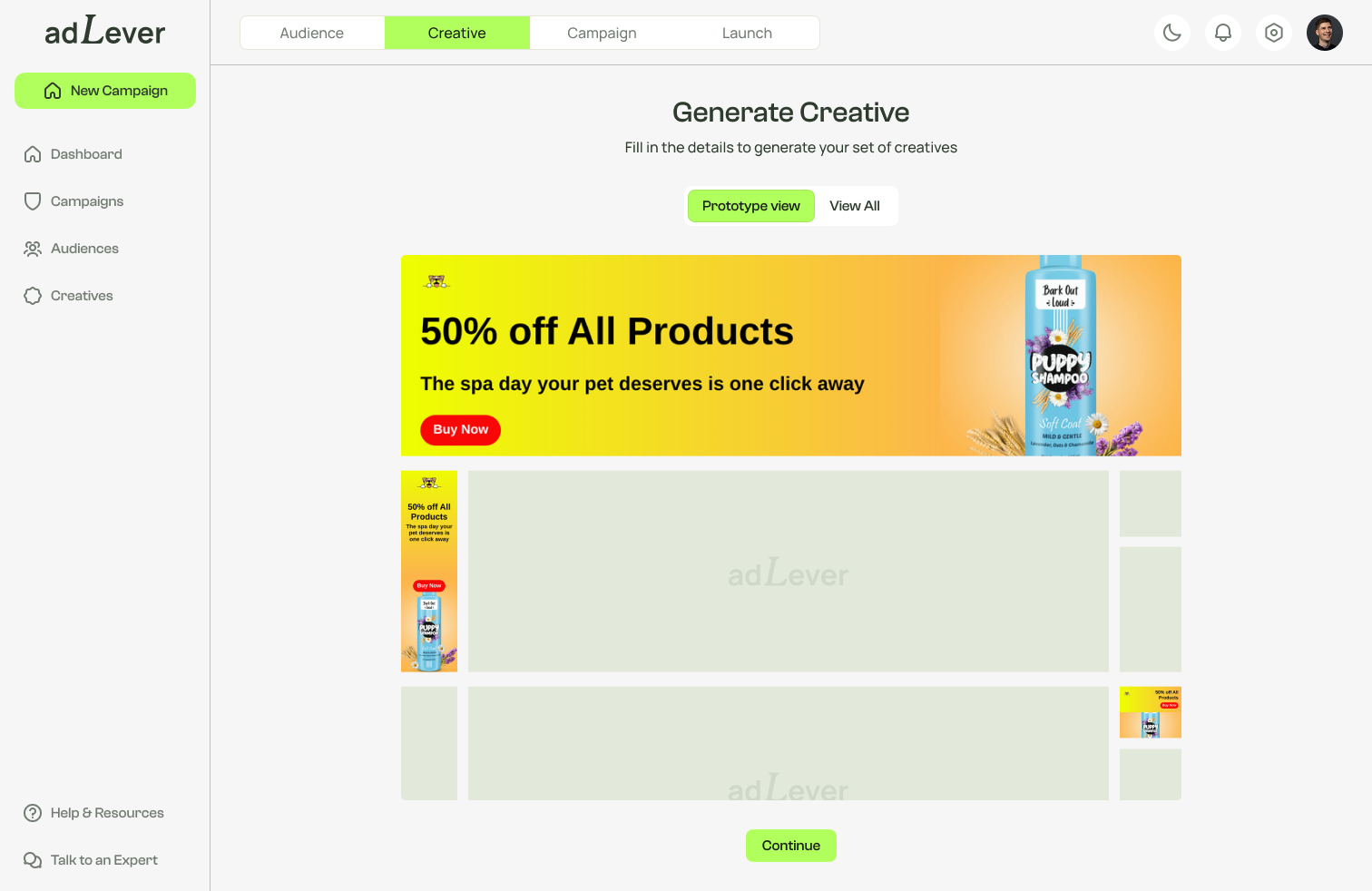
In the world of online advertising, display ads play a crucial role in capturing the attention of potential customers. But not all display ads are created equal—the size of an ad can significantly impact its effectiveness, and understanding the standard display ad sizes is essential for any marketer looking to optimize their campaigns.
Display ad sizes aren't arbitrary dimensions; they're carefully chosen to fit various placements across the web. Different sizes lead to different levels of engagement, visibility, and click-through rates. Understanding which sizes are most commonly used helps marketers tailor their strategies to maximize reach and effectiveness.
One of the most popular display ad sizes. Its compact dimensions make it versatile for various placements, including within content and on the sidebar of websites, and it's known for strong click-through rates.
A wide banner ad that typically appears at the top of a webpage. Its large size makes it highly visible, and it's often used for brand awareness campaigns, especially on high-traffic sites.
A tall, narrow ad commonly placed on the sidebars of websites. Its vertical orientation helps it stand out on pages with a lot of content, and it's particularly effective for targeting users scrolling through articles or blogs.
Offers ample space for creative messaging, making it an effective choice for capturing audience attention. Its dimensions suit content-rich environments, blending seamlessly with articles and blog posts.
A versatile option that can be placed in various locations on a webpage. Its balanced dimensions make it suitable for both content and sidebar placements, and it works particularly well on mobile screens.
A larger format that provides ample space for visuals and messaging, often used for more complex campaigns that require detailed information. Its size makes it hard to ignore, leading to higher visibility and engagement.
AdLever's Ad Creation Tool simplifies the process of creating display ads in various sizes. With user-friendly features and templates, marketers can easily design ads that fit every standard banner ad size, with quick adjustments so your ads stay tailored to your campaign needs.
Understanding the standard display ad sizes is essential for effective online advertising. Choosing the right sizes for your campaigns enhances visibility, engagement, and ultimately conversions. As you plan your next advertising campaign, keep these sizes in mind to maximize your impact and reach your target audience effectively. Create your ads with AdLever.
There's no required number, but campaigns generally do better when creative exists for the most widely available placements rather than one or two. The six sizes above—medium rectangle, leaderboard, wide skyscraper, large rectangle, square, and half page—cover the majority of standard display inventory. Supplying more sizes means your ad is eligible for more placements, which matters because availability varies by site and by page. If you only supply a leaderboard, you can only win leaderboard slots. AdLever's Ad Creation Tool is built to produce ads across these standard sizes from one set of brand assets, so covering the range doesn't mean commissioning six separate designs.
Not a separate campaign, but size choice matters more on small screens. The 250 x 250 square and 300 x 250 medium rectangle adapt well to mobile layouts, while the 728 x 90 leaderboard and 160 x 600 wide skyscraper were built for desktop widths and often go unfilled on phones. Text is the bigger issue: copy that reads cleanly at desktop scale can become unreadable when the same ad renders much smaller. Keep headlines short, make the call to action large enough to tap, and check each size at actual rendered scale before launching.
No. These dimensions are for display advertising—banner units that appear on websites and in apps. Streaming TV ads are video and follow different specifications, typically 15- or 30-second spots delivered full-screen rather than placed alongside page content. If you're running both, you'll need display creative in the sizes above and separate video creative for streaming. The two work well together: display keeps you visible while people browse, streaming reaches the same households on television.
Build an audience from your own contacts or verified household data, and reach those households on the devices they actually use.