%20(1).webp)
How to build a streaming TV audience in AdLever from 600+ attributes when you have no customer list or voter file.
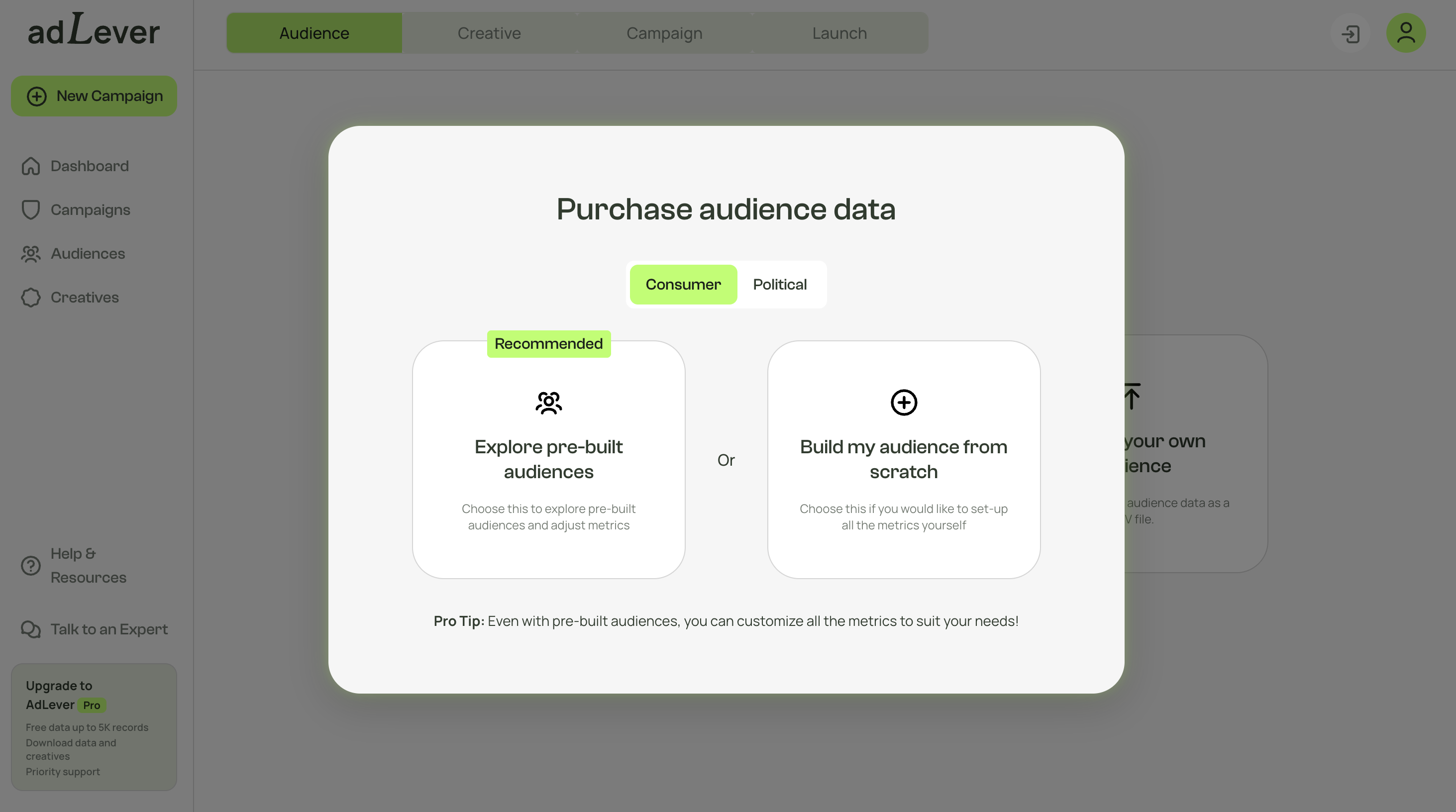
You don’t need a customer list to advertise on streaming TV. With the AdLever Audience Builder, you build an audience from 600+ audience attributes such as location, income, home ownership and presence of kids. AdLever finds the households that match and delivers your ad to the devices of the people who live there. This is audience targeting at the household level, for ads on connected TV (CTV), in premium online video and in display, and it works for businesses and for political campaigns.
An audience is the group of households that will see your ad. You decide who is in it before the campaign runs, and your ad goes only to those homes, on streaming TV, in online video and in display.
If you don’t have a list, you build the audience from AdLever’s own household data. In AdLever this option is called Purchase audience data, because the records come from AdLever’s data, at $0.25 per record. (If you do have a list, see “Already have a list?” below.)
Every audience is saved to your account, so you can use it again.
In AdLever, choose Purchase audience data. You then make two choices.
1. Consumer or Political
2. Pre-built or from scratch
Even with a pre-built audience, you can change every setting.
Most business owners have never written down a “target audience”, but they know their customers. Start with three plain questions:
Each answer becomes a filter.
You can combine attributes. Each one you add makes the audience more specific and smaller. As you add them, AdLever shows how many households match, before you spend anything.
A roofing company. “My customers own older houses in the six ZIP codes we cover.”
In AdLever: location = those six ZIP codes, home ownership = owner, estimated home value = the range they usually work on.
A family restaurant. “Families who live nearby.”
In AdLever: location = the surrounding ZIP codes, presence of kids = yes.
A dog groomer. “Pet owners nearby who can afford a regular appointment.”
In AdLever: location = the town and the next one over, presence of pets = yes, income = a middle range and up.
Choose Political. A campaign doesn’t need a voter file to start. You build your universe (the households you want to reach) from the political data inside AdLever:
These combine with the standard household attributes, such as home ownership and presence of kids.
A school board campaign. “Parents in the district who vote in off-year elections.”
In AdLever: school district = your district, presence of kids = yes, voter propensity = high.
Three things to know about political campaigns on AdLever:
Digital Advertising for Political Campaigns in 2026 explains this in full.
Every household in a built audience is already verified, with a real address. From there, AdLever does the same thing it does for any audience.
How targeting works shows this step by step.
Campaigns start at 1,000 households.
The estimator on the pricing page shows the total for your audience size.
Then you don’t need to build one. In AdLever, choose Upload your own audience and upload your customer list, CRM contacts or voter file as a CSV file. AdLever matches it to verified households at a rate above 90% on average, and your own list costs nothing extra. If your site is on Wix, the AdLever app for Wix brings your contacts in without a file.
You can also combine the two: upload your list and build an audience of similar households in the same ZIP codes, then run both.
Audience & Data covers uploading your own list in full.
Sign up for AdLever and start your campaign, or book a demo and we’ll build a sample audience with you.
Yes. In AdLever you can build an audience from 600+ audience attributes such as location, income, home ownership and presence of kids, with no list at all. AdLever finds the households that match and delivers your ad to the devices in those homes.
It is the option for building an audience from AdLever’s own household data instead of uploading your own list. You choose Consumer or Political, then start from a pre-built audience or build from scratch. The records cost $0.25 each.
Yes. Choose Political in AdLever and build an audience by voter propensity, party registration and district, down to school district or precinct. There is no verification wait before you launch. If you have a voter file, you can upload it too.
More than 600, covering location (ZIP code, city, county), home ownership and estimated home value, presence of kids and pets, marital status, income, estimated net worth, credit score, age and gender, and voter selections such as voter propensity and party registration. Attributes can be combined.
Choose Upload your own audience in AdLever and upload it as a CSV file. AdLever matches it to verified households at a rate above 90% on average, and your own list costs nothing extra.
An audience built from AdLever data costs $0.25 per record. Campaigns start at 1,000 households, from about $26 a day for CTV and OTT campaigns. Using your own customer list costs nothing extra.
Build an audience from your own contacts or verified household data, and reach those households on the devices they actually use.